Follow these simple steps to add your information to our directory:
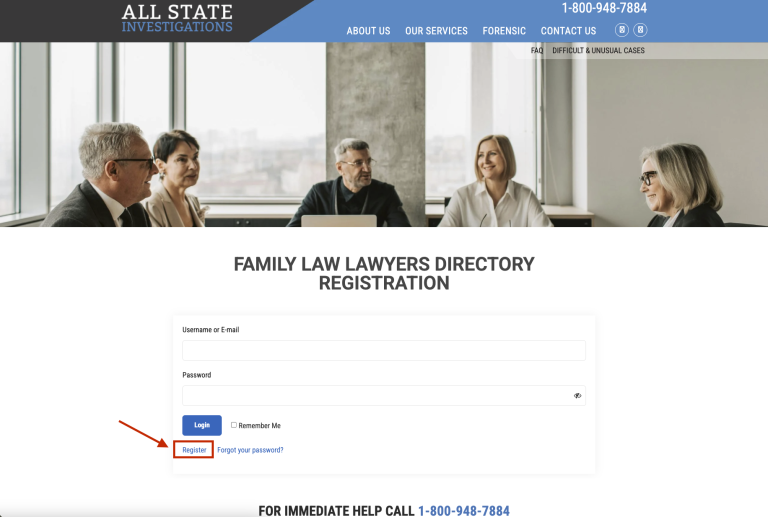
1. Create an Account Visit Directory Registration (https://allstateinvestigation.com/directory-registration) and click Register (see image). Note: This step is for account setup only. Your directory listing will come afterward.
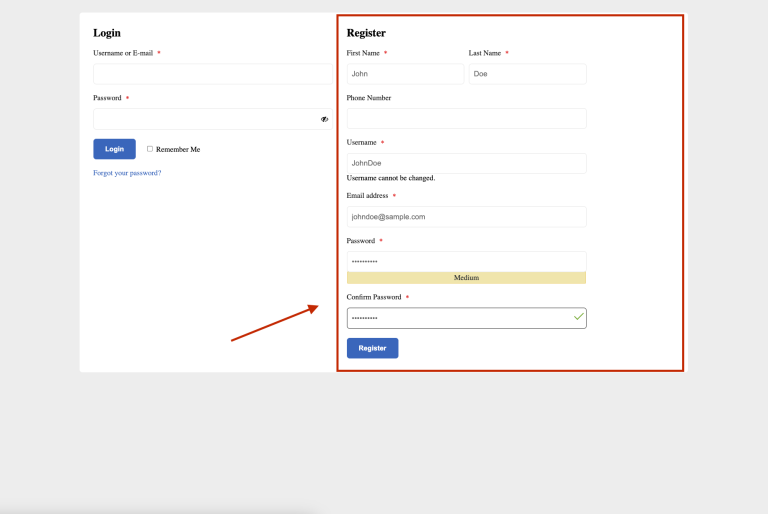
2.Complete the Registration Form Fill out all required fields on the registration page, then submit to create your account.
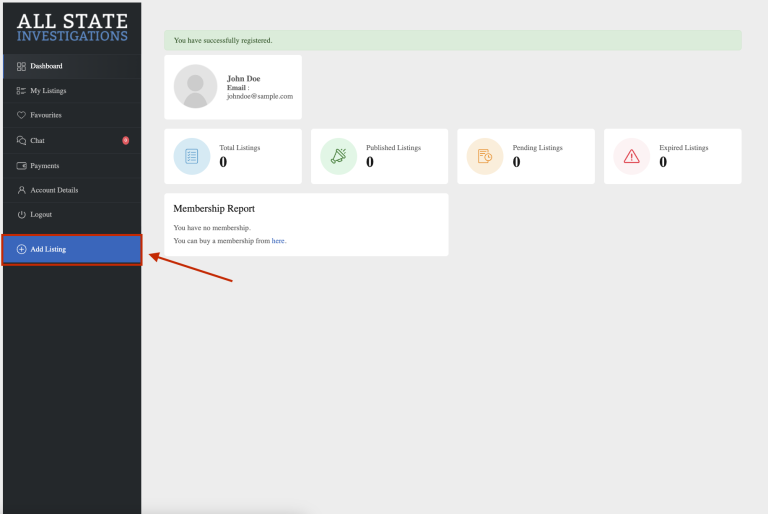
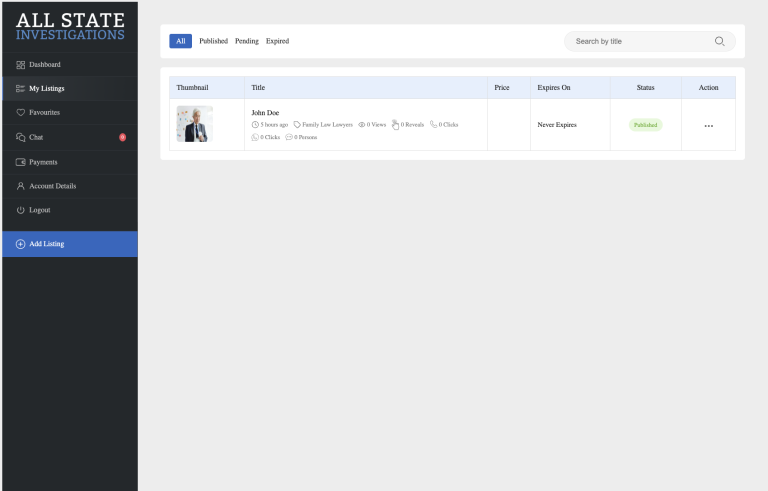
3. Access Your Dashboard After registering, you’ll be redirected to your Directory Dashboard. To add your information, click on the “Add Listing” button.
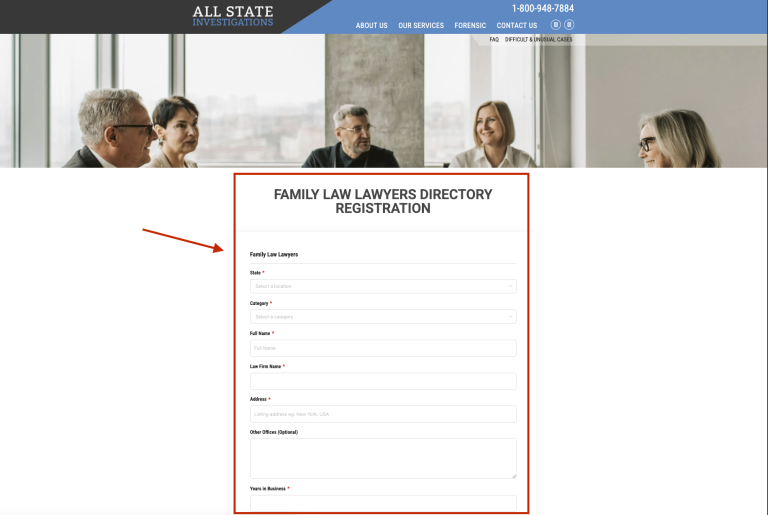
4. Fill Out Your Directory Listing Complete the listing form (including details such as State, Category, Law Firm Name, etc.), then submit.
5. Manage Your Listings Once added, you can view and edit your listing anytime under the “My Listing” tab in your dashboard.
5. Verify Your Listing Visit the Directory page (https://allstateinvestigation.com/directory) to confirm your listing is live.
5. Update Your Information
To make changes later, log in anytime at My Account (https://allstateinvestigation.com/my-account)
📧 Need Help? If you encounter any issues or need further assistance, please email us at tony@94truth.com.